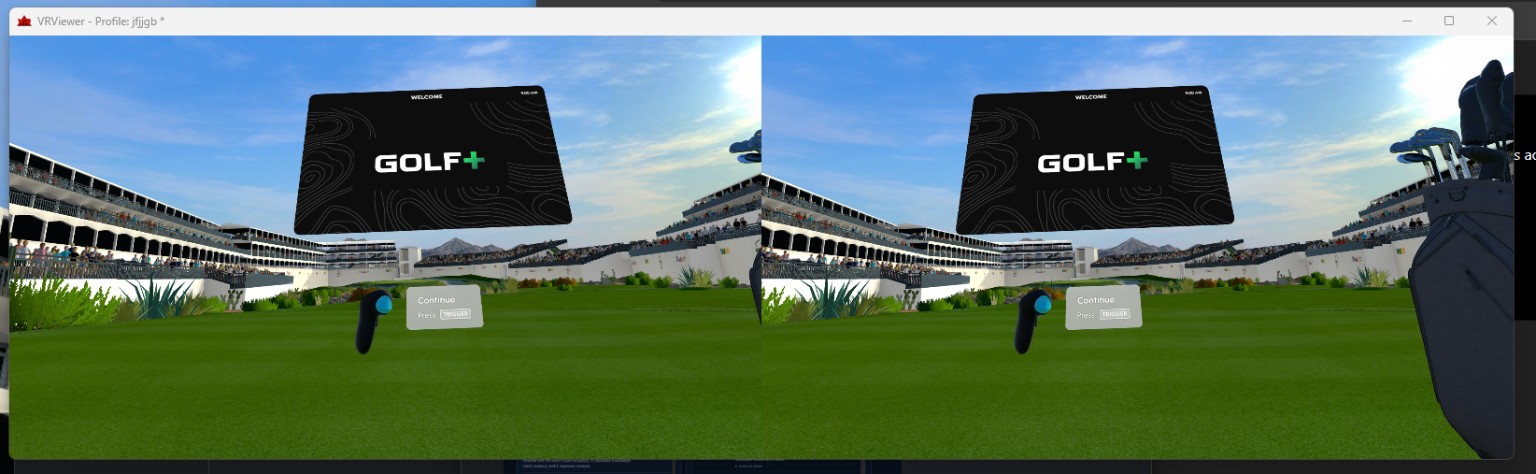
Multiple presentation layouts
Present content in stereo or single-eye layouts:
Views include side-by-side, over-under, anaglyph, left-eye, or right-eye.
 TECHNOLOGIES
LTM TECHNOLOGIES / VRVIEWER
VRViewer is a Windows desktop application for mirroring and presenting VR application output with configurable stereo and single eye layouts and geometry.
CAPABILITIES
VRViewer is built around the practical controls you need when the headset view isn't the final display.
Present content in stereo or single-eye layouts:
Views include side-by-side, over-under, anaglyph, left-eye, or right-eye.
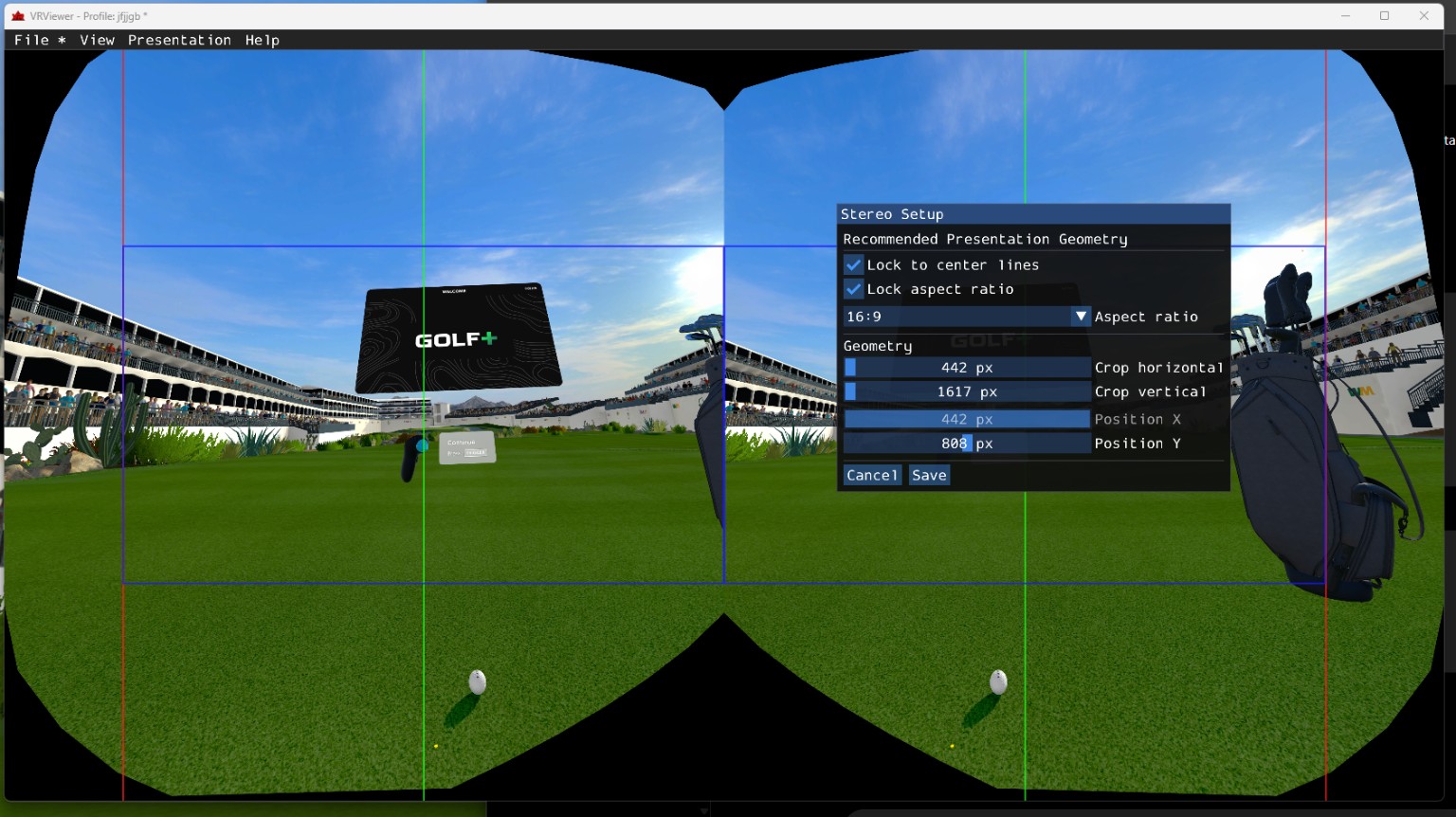
Crop, position, and constrain the presented image to fit a target display or capture workflow.
Works through OpenXR and SteamVR (OpenVR) integration so supported applications can be displayed without modifying the application itself.
Save application-specific presentation settings in VRViewer Pro and return to the same setup every time.
A dedicated Windows viewer keeps configuration and presentation controls accessible outside the headset and capture software.
VRViewer is actively developed around real display, capture, testing, and stereoscopic use cases.
COMPATIBILITY
Supported for applications using Direct3D 11 and Direct3D 12.
Other graphics APIs including Vulkan and OpenGL are not currently supported.
Supported for most VR graphics APIs including Direct3D and Vulkan.
VRViewer uses Direct3D 11 for its desktop rendering and presentation output.
Supported through normal Game Capture.
No additional plugin required.
Currently compatible.
Not currently supported.
Not currently supported by VRViewer.
HOW IT FITS TOGETHER
FREE / PRO
FREE
PRO